
PRACTICAL UNDERSTANDING
A little clarity.
A lot more possibility.
From your first prompt to the tools behind an agent. Take the next step at your pace.

18 Guides

How to Move an AI Skill to Another Assistant
Save the instructions behind a routine, then use a sample weekly brief to see what carries over to another assistant.
Moving AI skills
Read guide
AI Skills, Tools and MCP: How the Parts Work Together
Meet skills and MCP through two tap-to-explore illustrations, then follow a simple notes-to-brief example and inspect a reusable method.
Skills and connected tools
Read guide
AI Hardware: What You Actually Need
Decide whether local AI needs new hardware, understand RAM and VRAM, and check compatibility before spending on an upgrade.
Local AI hardware
Read guide
How to Try a New AI Tool Without Starting With Your Real Work
Use practice material, inspect the current controls, test one familiar task, and decide what role a new AI tool has earned in your work.
Trying new tools
Read guide
What Happens When an AI Model Is Retired?
Read a retirement notice, find what depends on the model, test the available replacements, and make a migration decision that fits your own work.
Model retirement
Read guide
How to Use AI With Your Documents Without Losing the Source Trail
Use AI to explore, compare, or summarize documents while keeping the originals, source pointers, and important conclusions easy to check.
Documents and sources
Read guide
What Should Your AI Remember About You?
Choose which preferences and working context may be useful across chats, what may be better left out, and where to inspect or change memory when a product supports it.
AI memory
Read guide
What to Check Before You Let AI Control Your Computer
Check access, approvals, accounts, files, recovery, and task limits before an AI agent clicks, types, or changes things on a computer.
Computer control
Read guide
How to Use AI Without Losing Your Work to One Tool
Keep prompts, notes, source material, decisions, checks, and fallback paths in your own files to make the work easier to resume when tools change.
Work continuity
Read guide
The AI Project Vault: What To Save Outside Any Chatbot
A copyable starter folder for ordinary AI projects, with simple sections for sources, prompts, decisions, examples, checks, outputs, settings, and restart notes.
Project vault
Read guide
What To Check Before You Build Around One AI App
Check exports, files, memory, permissions, fallback paths, and switching pain before one AI app becomes the center of your work.
App dependency
Read guide
How to choose the right chatbot
The real question is not which chatbot is best. It is which one fits the job, the risk, and the places where mistakes would actually matter.
Choosing tools
Read guide
How to Prompt a Chatbot So It Actually Helps
Better prompting is less about magic wording and more about a clean handoff: task, context, constraints, and how you will judge the answer.
Prompting basics
Read guide
How to Check AI Answers Before You Use Them
AI can sound finished before it has earned trust. This guide shows how to spot weak claims and decide when an answer needs a closer check.
Answer checking
Read guide
How AI Search Works: Why Answers Need Sources
AI search can make the web feel settled too quickly. This guide separates the generated answer from the source trail behind it.
AI search
Read guide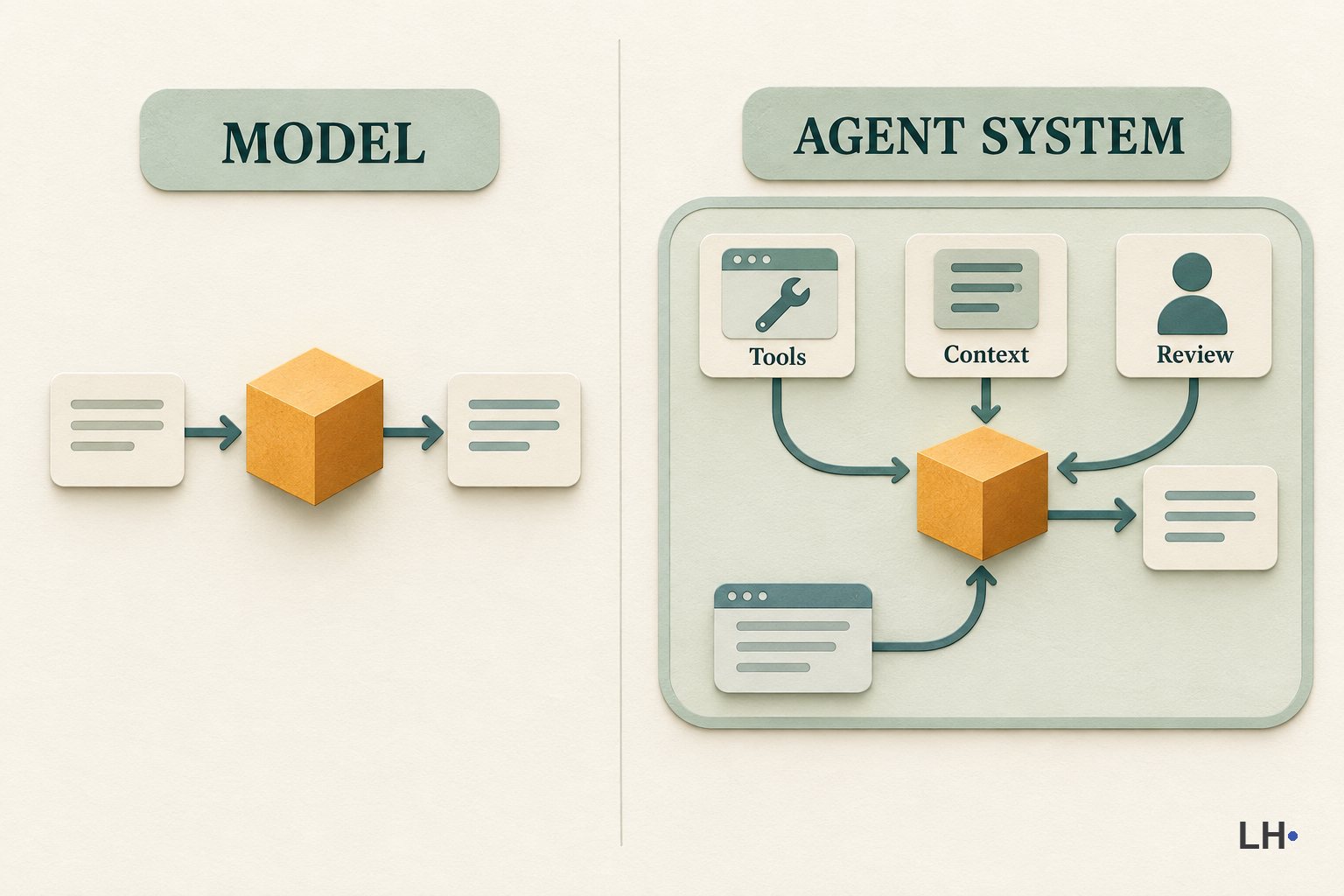
AI Models vs AI Agents: Why the Setup Matters
A model and the system around it do different jobs. This guide separates the model from tools, memory, loops, and permissions.
Models and agents
Read guide
OpenClaw for beginners: hosted 1-click setup vs VPS vs DIY
A cautious beginner guide to Hostinger's 1-click OpenClaw option, how it compares with VPS or DIY setup, and what to check before connecting an always-on AI agent to tools or accounts.
AI agents
Read guide
How to Use AI to Summarize Long Articles Without Losing the Point
AI summaries can save time, but they can also hide the point. This guide shows how to ask for the right summary and know when to open the original.
Summarizing with AI
Read guideNo matches yet
Try a different search.